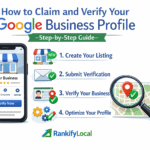
Google Business Profile — formerly Google My Business — is the listing that appears when someone searches for your business or a service you offer in your area. It controls whether you appear in the Google Maps pack, what information potential customers see, and whether they choose you or a competitor.
A fully optimized GBP is not a technical project that requires an agency or expensive software. Every optimization in this guide can be completed directly at business.google.com. What it requires is knowing what to do, in what order, and why each step matters.
Run a free audit at audit.rankifylocal.com to see your current GBP score and which specific sections are weak. It takes 30 seconds and shows you exactly which steps in this guide matter most for your business.
Verify Your Profile
The foundation — nothing else works without this
An unverified Google Business Profile does not rank in local results. This is not a soft guideline — it is a hard requirement. Before investing any time in other optimizations, confirm your profile is verified.
To check: go to business.google.com and look at your profile status. A verified profile shows a blue checkmark. If you see “Verify now” or “Get verified,” complete this step before anything else.
Video verification is the fastest method Google currently offers. You record a short video showing your business exterior (with the address visible), interior, and equipment or products. Google reviews it within 24 to 72 hours. Do not use filters or editing on the video — Google requires raw footage.
Postcard verification remains available for businesses that cannot complete video verification. Google mails a postcard with a verification code to your business address. It takes 5 to 14 days to arrive. Once you receive it, enter the code in your GBP dashboard.
Important: If your business moved locations, you need to re-verify after updating your address. An old address with a pending verification will not rank for your new location — and the old address will continue receiving traffic from customers who cannot find you.
Choose the Right Categories
The highest-impact single change you can make
Your primary category is the most important signal in your entire GBP. It determines which keyword searches your profile is eligible to appear for. A business categorized as “Contractor” cannot rank for “HVAC Repair” the same way a business categorized as “HVAC Contractor” can.
Google offers hundreds of specific categories. The rule is: choose the most specific accurate category available as your primary, then add every other relevant category as a secondary.
| Business Type | Too Generic (Avoid) | Most Specific (Use This) |
|---|---|---|
| HVAC business | Contractor | HVAC Contractor |
| Emergency plumber | Plumber | Emergency Plumber |
| Family dentist | Dentist | Family Dentistry |
| Italian restaurant | Restaurant | Italian Restaurant |
| Roofing company | Construction Company | Roofing Contractor |
| Personal injury lawyer | Lawyer | Personal Injury Attorney |
After setting your primary category, add secondary categories for every related service you offer. An HVAC business might add: Air Conditioning Contractor, Heating Contractor, Furnace Repair Service, and Air Duct Cleaning Service as secondary categories. Each secondary category expands your keyword eligibility.
Category changes take 24 to 48 hours to update in Google’s index. After changing your primary category, wait 48 hours before running a ranking check to see the impact accurately.
Write an Optimized Description
Found missing in 67% of underranking businesses
Your GBP description tells Google what your business does, where it operates, and who it serves. It is one of the primary places Google looks when deciding whether to show your profile for a given search. Businesses with optimized descriptions rank an average of 23% higher than those with no description.
Google allows up to 750 characters (roughly 100 to 120 words). Write between 250 and 750 characters — long enough to include your key signals but not padded with irrelevant content.
- Your primary service category
- Your city and service area
- Years in business or founding year
- 2 to 3 specific services you offer
- A differentiator (24/7, licensed, award-winning)
- A natural call to action at the end
- Keyword stuffing (“best plumber plumbing plumber”)
- Promotional language (“lowest prices guaranteed”)
- Links or URLs
- HTML or special characters
- Competitor mentions
- Inaccurate service claims
Notice how the example above includes the city name (Toronto), the service area (GTA), specific services (furnace repair, AC installation, emergency HVAC), a differentiator (24/7 availability), and a call to action — all naturally within 100 words.
Upload the Right Photos
520% more calls for profiles with 100+ photos
Photos are one of the most consistently underinvested areas of GBP optimization. The data from our 4,000+ business audits is unambiguous: businesses with more photos get significantly more clicks, calls, and direction requests than those with few photos.
Google does not treat all photos equally. It looks at photo count, photo recency, photo categories, and engagement with photos (how often customers view or interact with them). An account that uploads 5 photos in a single day and then nothing for a year performs significantly worse than one that uploads 3 to 5 photos every month consistently.
Photo specifications that affect how Google displays your images: minimum 720 × 720 pixels, JPG or PNG format, between 10KB and 5MB in size. For the cover photo, use a 16:9 ratio image — this is what appears most prominently in search results and Maps.
Set a recurring monthly reminder to upload 5 new photos. Take photos on every job — before, during, and after. One job produces 3 to 6 usable photos with a smartphone. After 6 months of this habit, you will have 30+ fresh photos that continuously signal activity to Google.
Add All Services with Descriptions
Each service expands your keyword ranking potential
The Services section of your GBP is one of the most underused optimization opportunities available. Each service you add — with a specific name and description — is another keyword signal that helps Google match your profile to relevant searches.
Google pre-populates some service suggestions based on your category. Accept every relevant suggestion and add any services it missed. For each service, write a one to two sentence description that includes the service name and your city or service area naturally.
Description: “Same-day emergency dental appointments available for Scarborough residents. We treat toothaches, broken teeth, lost fillings, and dental abscesses with same-day relief.”
Services appear directly in your GBP listing when customers find you in search results. A business with 15 specific services listed occupies significantly more visual space in results than one with no services — increasing click-through rates independent of ranking position.
- Specific service name customers search for
- 1–2 sentence description with location
- Differentiating detail (speed, price, specialization)
- Natural keyword inclusion
- Generic service names like “Services” or “Work”
- No description at all
- Duplicate descriptions copied across services
- Keyword-stuffed unreadable text
Post Weekly Updates
Active profiles rank higher than inactive ones
Google Business Profile posts are short updates — similar to social media posts — that appear directly on your listing in search results and Maps. Regular posting signals to Google that your business is active, currently operating, and engaged with customers.
In our analysis of 4,000+ audits, businesses that post at least once per week show measurably higher engagement rates than those that post monthly or less. Regular posting does not guarantee top rankings alone, but consistent inactivity consistently correlates with ranking decline over time.
Three types of posts that perform well
Update posts — share recent work, seasonal reminders, business news, or team highlights. These are the most flexible and easiest to produce consistently.
Offer posts — current promotions, seasonal discounts, or free consultations. Offer posts include a button (Book, Call, Order, etc.) that drives direct action from search results. Businesses with active offer posts show higher click-through rates from their listings.
Photo posts — a completed job with a 2 to 3 sentence description. These serve double duty as both a post and a photo upload, giving you two signals from a single piece of content.
Every Monday morning, take a photo of work completed last week and write 3 sentences about it. Post it. Done. This one habit — 15 minutes every Monday — produces 52 posts per year that continuously signal activity to Google and keep your listing visible to customers browsing your profile.
Build a Review Generation System
The most sustained ranking advantage available
Reviews are among the most heavily weighted signals in Google’s local ranking algorithm. Volume, recency, velocity, keyword mentions within review text, and your response rate all contribute to your ranking. No single factor has as much sustained long-term impact on local rankings as a consistent review generation practice.
The most common mistake business owners make with reviews is relying on customers to leave them spontaneously. A consistent review generation system produces 3 to 5 times more reviews than passive waiting — with no paid incentives required.
The review request process that works
Step 1 — Create your review link. In your GBP dashboard, click “Get more reviews” to generate a short review link. This takes customers directly to your review form without requiring them to search for you.
Step 2 — Send within 24 hours of service. The highest response rates come from requests sent within 24 hours of a completed job or service. After 72 hours, response rates drop significantly.
Step 3 — Use SMS, not email. Text message review requests generate 3 to 4 times the response rate of email requests for most service businesses. Keep the message short — one sentence of context and your review link.
Step 4 — Respond to every review within 48 hours. Response rate is a confirmed ranking factor. Businesses that respond to over 80% of reviews rank measurably higher than those with low response rates. For positive reviews, thank the customer and mention a specific detail from their experience. For negative reviews, acknowledge, apologize, and invite them to contact you directly to resolve.
Never offer incentives for reviews. Offering discounts, gift cards, or any reward in exchange for a Google review violates Google’s policies and risks having your entire review profile removed — including years of legitimate reviews. Ask for honest reviews, not positive ones.
See Your Current GBP Optimization Score
Our free audit scores all 7 optimization areas covered in this guide using live data from your actual Google Business Profile.
Check My GBP Score →Advanced Optimization: Q&A, Attributes, and Messaging
Once the seven core steps are complete, these advanced features add additional ranking signals and conversion opportunities that most competitors overlook.
Q&A — Seed Your Own Questions
The Questions and Answers section of your GBP allows anyone — customers, competitors, or anonymous users — to post questions that appear publicly on your listing. Anyone can also answer them, which means misleading answers from competitors can appear without your knowledge.
The solution is to seed your own Q&A. Using a secondary Google account (a personal account or a trusted employee’s account), post the 8 to 10 most common questions your business receives. Then, from your business GBP account, answer each one with an accurate, keyword-rich response.
Seeded Q&A serves three purposes: it ensures accurate information is prominently displayed, it adds keyword content to your listing, and it prevents the Q&A section from filling with unanswered or inaccurate community questions.
Attributes — Enable Every Accurate One
Attributes are searchable characteristics of your business — wheelchair accessibility, outdoor seating, accepts credit cards, women-owned, veteran-owned, and dozens of category-specific options. Customers can filter local search results by these attributes.
In your GBP dashboard, go to Edit Profile and find the Attributes section. Review every available attribute and enable every one that accurately describes your business. Do not enable attributes that are inaccurate — customers who visit based on an attribute that does not apply will leave negative reviews.
Messaging — Enable for Direct Customer Contact
GBP messaging allows customers to send you a direct message from your listing in search results. Google monitors response rates and times — businesses that do not respond to messages within 24 hours risk having messaging disabled. Enable messaging only if you can commit to monitoring it daily.
How to Track Your Optimization Progress
GBP optimization without tracking is effort without accountability. These are the metrics to monitor monthly to know whether your optimization is working.
GBP Insights — Your Built-In Dashboard
Within your GBP dashboard, the Performance section shows: how many times your profile appeared in search, how many customers clicked for directions, how many called from your listing, how many visited your website from your profile, and how customers searched for you (direct name search vs. category or keyword search).
The most important metric is the ratio of discovery searches (customers who found you searching for a category or keyword) to direct searches (customers who searched your business name directly). A growing ratio of discovery searches means your optimization is working — more customers who did not already know about you are finding your business through Google.
Monthly Ranking Check
Once per month, open a private browser window and search your primary 5 keywords on Google Maps. Record your position for each. Compare month over month. If your position improves consistently for 3 consecutive months, your optimization strategy is working. If rankings plateau or decline, run a full audit to identify what changed.
Our free audit at audit.rankifylocal.com generates a complete GBP optimization score alongside your local rankings, geo-grid visibility map, and competitor comparison. Running it quarterly gives you a consistent benchmark to track improvement over time.
Find Out What’s Missing From Your GBP Right Now
Our audit checks all 7 optimization areas from this guide in 30 seconds and shows you exactly which steps will have the biggest impact on your rankings.
Run My Free Audit →